Timvo
Get the App
Support

Help & Support

Answers to common questions about Timvo. Can’t find what you need? Write to us, we read every message.

Getting startedRecord, review and save your first note. Notes and privacyWhere your notes live and how to delete them. AI featuresSmart Note, automatic sorting and limits. Timvo ProTrials, restoring and cancelling.

Topics

  • Getting started
  • Notes and privacy
  • AI features
  • Timvo Pro

Getting started

How do I record a voice note?

On the Home screen, tap Voice note and start talking. Your words appear as text while you speak. Pause anytime, and tap ✓ when you’re done. On the review screen, edit the text, check the folder Timvo picked or choose your own, set a reminder if you like, then tap Save note.

Why does my first voice note take longer?

After you first open Timvo, it downloads its speech model in the background (about 500 MB, over Wi‑Fi only). Until it’s ready, Apple’s speech recognition is used. After that, your voice is turned into text right on your iPhone.

Does Timvo work offline?

Yes. Recording, notes, folders and reminders work without internet. Only Smart Note and automatic sorting need a connection.

How do reminders work?

On the review screen, tap Reminder and pick a time. If you say something like “remind me tomorrow”, Timvo suggests the time for you. You’ll get a notification then, so allow notifications when Timvo asks. You can also show reminders in Apple Calendar in Settings.

Notes and privacy

Where are my notes stored?

Only on your iPhone. There’s no account, and we don’t keep copies on our servers. If you use AI features, the note text is sent to OpenAI to process it, only after you allow it. Your notes are included in your regular iPhone backup.

Can I use Timvo on several devices?

Not yet. Your notes stay on the iPhone where you created them.

Can I lock Timvo?

Yes. Turn on Face ID in Settings › Privacy & Face ID.

How do I delete my data?

Delete a note or folder in the app, or go to Settings › Data & privacy › Delete all notes and folders to remove everything, including images. Deleting Timvo also removes all its data. Details are in our Privacy Policy.

AI features

What does Smart Note do?

It turns a long or messy note into a clear one: a title, a short summary, sections and a checklist of things to do. The free plan includes 3 Smart Notes a week, reset every Monday. Notes that are already clear don’t use one.

How does automatic sorting work?

Timvo reads the note and picks the folder that fits best, based on your folder names and descriptions. Clear descriptions make sorting more accurate. The free plan includes 5 sorts to start, then 2 a week. When they run out, notes still save, just without a folder.

An AI feature didn’t work. What should I do?

AI features need an internet connection and your permission. Check that you’re online and that AI features (OpenAI) is on in Settings › Privacy & Face ID, then try again. Weekly limits reset every Monday, or you can upgrade to Timvo Pro.

How do I turn off AI features?

Go to Settings › Privacy & Face ID and turn off AI features (OpenAI). Your notes stay on your iPhone and save without a folder.

Timvo Pro

What’s included in Timvo Pro?

Unlimited Smart Notes and automatic sorting, screenshot sorting with an image library, and 7 more app icons. It costs $3.99 a month with a 3-day free trial, or $29.99 a year with a 7-day free trial. Prices may vary by country.

How do I sort screenshots?

With Timvo Pro, share a screenshot or photo to Timvo from the Share sheet, or add it with + in Images. The next time you open the app, Timvo files it into the right folder, and creates one for common topics like recipes or receipts if needed.

How do I restore my purchase?

Open Settings › Timvo Pro in the app and tap Restore purchases. Use the same Apple ID you bought it with.

How do I cancel my subscription?

On your iPhone, go to Settings › [your name] › Subscriptions, choose Timvo Pro and tap Cancel Subscription, or in Timvo open Settings › Timvo Pro › Manage subscription. Pro stays active until the end of the paid period.

How do I get a refund?

Refunds are handled by Apple. You can request one at reportaproblem.apple.com.

Still need
help?

Write to ushello@timvo.app

Answers come
from the maker.

Tell us what happened and which iPhone and iOS version you use. A screenshot helps a lot.Tell us what happened and your iOS version. A screenshot helps.

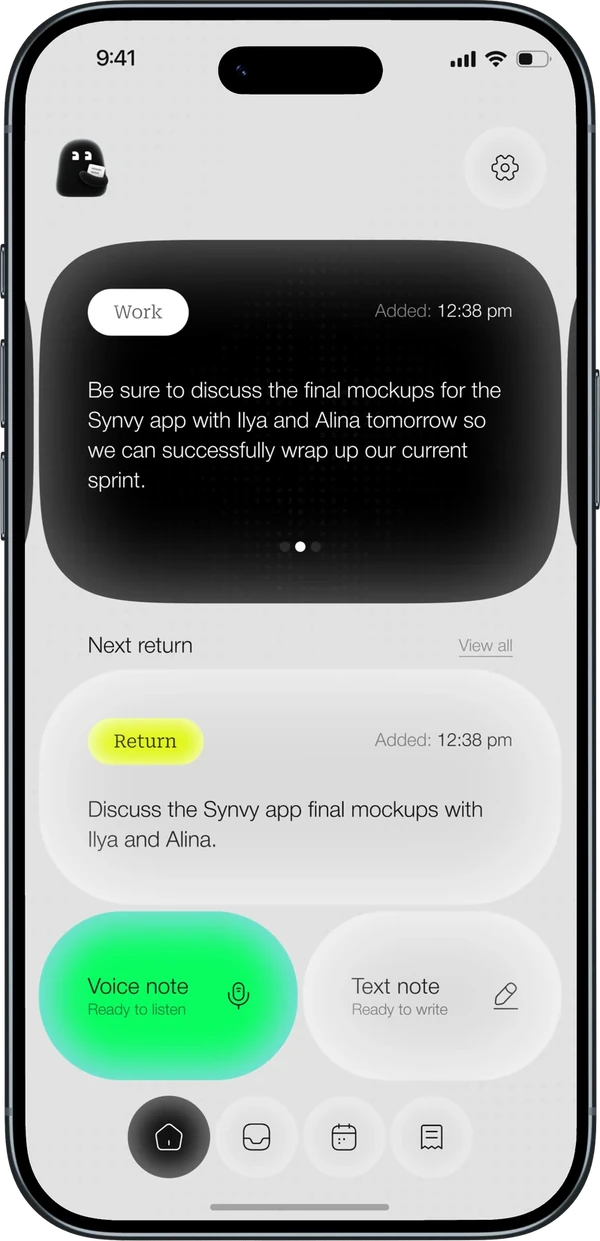
Timvo on iPhone with a work note and the next reminder

Product

FeaturesTimvo Pro

Support

Help centerContact support

Legal

Privacy PolicyTerms of Use

Follow

Timvo is a voice notes app for iPhone. It turns speech into text notes, sorts them into folders and reminds you at the right time.

© 2026 Timvo. All rights reserved.

Timvo

QR

Scan to download
the app